> ## Documentation Index
> Fetch the complete documentation index at: https://docs.goframe.dev/llms.txt
> Use this file to discover all available pages before exploring further.
# Voiceover and text-to-speech
> Turn a script into narration with ElevenLabs or Minimax voices, pick a voice and speed, clone a voice, and place the audio on the timeline
Give GoFrame Editor Agent a script and it generates the narration and drops it on an audio track. Use it for explainers, product demos, social clips, or to re-voice a finished video in another language.
## Before you start
* **A script.** Paste it in the chat, attach a text file, or ask the agent to write one from your brief. Text-to-speech works in an empty project.
* **Credits.** Each voice generation costs 4 credits. The agent splits long scripts at sentence boundaries into several short generations, so a long narration costs a few times more.
* **Any plan.** No text-to-speech model carries the **pro** badge.
* **A voice sample (cloning only).** At least 10 seconds of clean speech from the person you want to clone.
## Ask the agent
Say what should be said and how, or start with `/voice`. Name a voice if you have a preference; otherwise the agent picks one that fits.
```text theme={null}
/voice warm narrator voice: Welcome to the future of editing
```
```text theme={null}
Add a voiceover to this project. Use Michael, slightly slower than normal, and read this script: "..."
```
```text theme={null}
Read the on-screen text of each scene as narration and place each line under its scene.
```
```text theme={null}
Generate the narration with Minimax Speech HD, voice Calm_Man, at 1.1x speed, starting at the beginning of the timeline.
```
```text theme={null}
Clone my voice from @sample.wav and use it to read the intro.
```
 Choose the model with the ✦ button in the composer or `/model`, in the text-to-speech section of the picker.
## Options
| Model | Character | Voices |
| ---------------------------------- | ------------------------------------------------------------- | ------------------------------------------------------------------------------------------------------------------------------------------- |
| **ElevenLabs Eleven v3** (default) | Highest quality, expressive narration; supports voice cloning | Rachel (default), Domi, Bella, Elli, Charlotte, Grace, Dorothy, Josh, Arnold, Adam, Sam, Michael, Clyde, or any ElevenLabs voice ID you own |
| **ElevenLabs Turbo v2.5** | Faster and cheaper; good for drafts and long scripts | Same as Eleven v3 |
| **Minimax Speech HD** | Very natural, wide emotional range | Wise\_Woman (default), Friendly\_Person, Inspirational\_Girl, Deep\_Voice\_Man, Calm\_Man, Casual\_Guy, Lively\_Girl |
| **Minimax Speech Turbo** | Faster, more affordable Minimax voice | Same as Speech HD |
ElevenLabs voice guide: Rachel is calm and warm, Domi strong and confident, Bella soft and expressive, Elli young and emotional, Charlotte a game-narrator voice, Grace gentle with a Southern accent, Dorothy British. Josh is deep and authoritative, Arnold crisp, Adam a deep narrative voice, Sam raspy, Michael warm and conversational, Clyde mature.
Other settings:
* **Speed:** 0.5 to 2.0 (1.0 is normal). Ask for "a touch slower" or give a number.
* **Position:** "at the start", "after the intro clip", "at the playhead". The default is the end of the timeline.
* **Library only:** say "don't add it to the timeline" to keep it in the Media pool.
### Voice cloning
The agent can clone a voice with ElevenLabs from a sample of at least 10 seconds. A clean recording works best; the agent can denoise the sample first. Attach the sample or reference an asset with `@`, give the clone a name, then use it like any other voice: "read the outro in my cloned voice".
Only clone voices you have permission to use: your own, or a person who has explicitly consented.
## Where the result lands and what to do next
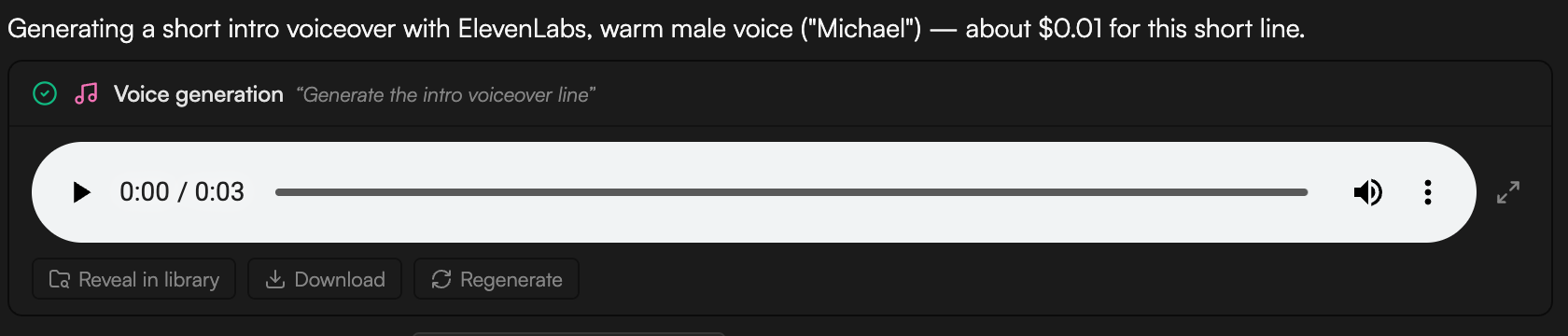
* The narration is saved to the **Media pool** as an audio asset (named after its purpose, for example **Intro VO**) with the **Created by AI agent** badge. A **Voice generation** job card tracks progress in the chat; **Regenerate** re-runs it unchanged.
* When placing the narration means changing the edit, the agent proposes an edit plan first: a **Timeline impact** line (for example how many seconds the cut grows), then one numbered edit at a time with its **Range**, **Change**, **Risk** and **Why**. Click **Apply plan** to run it or **Revise** to ask for changes. See [Review proposals and approve actions](/editor/proposals-and-permissions).
* Trim, move or split the clip like any other ([Edit clips](/editor/edit-clips)). Adjust **Volume** and fades in the [Inspector](/editor/inspector).
* **Captions.** Transcribe the voiceover clip (**Transcribe** in the Media pool) and the [Captions](/editor/captions) panel builds word-level captions from it.
* **Sync visuals to the read.** Ask the agent to "stretch each scene to match its narration line" or "cut the B-roll to the voiceover".
* **Localize.** The `wf-localize` workflow re-voices a finished video in another language: transcript, reviewed translation, narration in a preset voice or your consented clone, then captions.
Choose the model with the ✦ button in the composer or `/model`, in the text-to-speech section of the picker.
## Options
| Model | Character | Voices |
| ---------------------------------- | ------------------------------------------------------------- | ------------------------------------------------------------------------------------------------------------------------------------------- |
| **ElevenLabs Eleven v3** (default) | Highest quality, expressive narration; supports voice cloning | Rachel (default), Domi, Bella, Elli, Charlotte, Grace, Dorothy, Josh, Arnold, Adam, Sam, Michael, Clyde, or any ElevenLabs voice ID you own |
| **ElevenLabs Turbo v2.5** | Faster and cheaper; good for drafts and long scripts | Same as Eleven v3 |
| **Minimax Speech HD** | Very natural, wide emotional range | Wise\_Woman (default), Friendly\_Person, Inspirational\_Girl, Deep\_Voice\_Man, Calm\_Man, Casual\_Guy, Lively\_Girl |
| **Minimax Speech Turbo** | Faster, more affordable Minimax voice | Same as Speech HD |
ElevenLabs voice guide: Rachel is calm and warm, Domi strong and confident, Bella soft and expressive, Elli young and emotional, Charlotte a game-narrator voice, Grace gentle with a Southern accent, Dorothy British. Josh is deep and authoritative, Arnold crisp, Adam a deep narrative voice, Sam raspy, Michael warm and conversational, Clyde mature.
Other settings:
* **Speed:** 0.5 to 2.0 (1.0 is normal). Ask for "a touch slower" or give a number.
* **Position:** "at the start", "after the intro clip", "at the playhead". The default is the end of the timeline.
* **Library only:** say "don't add it to the timeline" to keep it in the Media pool.
### Voice cloning
The agent can clone a voice with ElevenLabs from a sample of at least 10 seconds. A clean recording works best; the agent can denoise the sample first. Attach the sample or reference an asset with `@`, give the clone a name, then use it like any other voice: "read the outro in my cloned voice".
Only clone voices you have permission to use: your own, or a person who has explicitly consented.
## Where the result lands and what to do next
* The narration is saved to the **Media pool** as an audio asset (named after its purpose, for example **Intro VO**) with the **Created by AI agent** badge. A **Voice generation** job card tracks progress in the chat; **Regenerate** re-runs it unchanged.
* When placing the narration means changing the edit, the agent proposes an edit plan first: a **Timeline impact** line (for example how many seconds the cut grows), then one numbered edit at a time with its **Range**, **Change**, **Risk** and **Why**. Click **Apply plan** to run it or **Revise** to ask for changes. See [Review proposals and approve actions](/editor/proposals-and-permissions).
* Trim, move or split the clip like any other ([Edit clips](/editor/edit-clips)). Adjust **Volume** and fades in the [Inspector](/editor/inspector).
* **Captions.** Transcribe the voiceover clip (**Transcribe** in the Media pool) and the [Captions](/editor/captions) panel builds word-level captions from it.
* **Sync visuals to the read.** Ask the agent to "stretch each scene to match its narration line" or "cut the B-roll to the voiceover".
* **Localize.** The `wf-localize` workflow re-voices a finished video in another language: transcript, reviewed translation, narration in a preset voice or your consented clone, then captions.
 ## Record it yourself instead
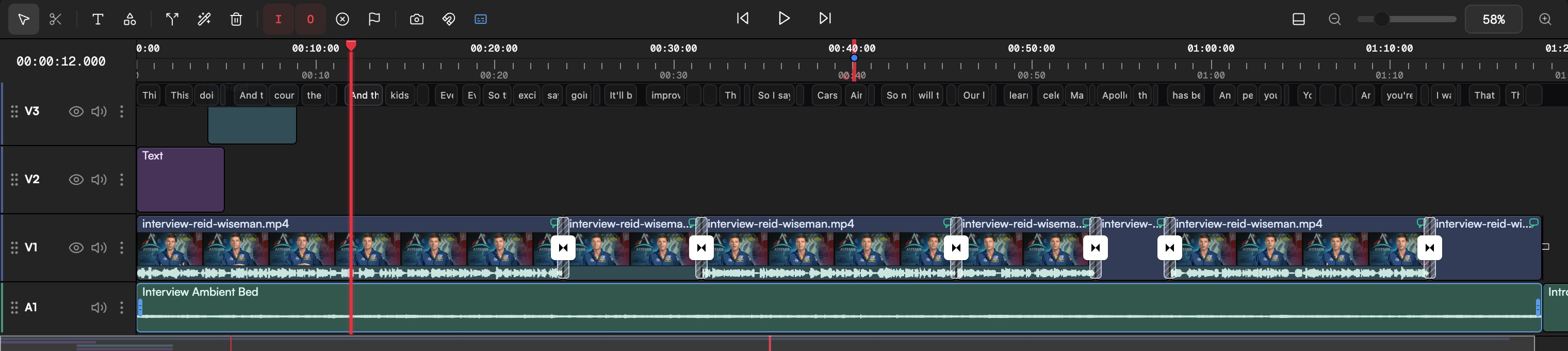
If you'd rather use your own voice, click **Record screen, camera, or voice** in the Media pool, choose the **Voice** tab in the **Record** dialog, pick your **Microphone** and click **Start recording**. The recording lands in the Media pool like any other audio asset. See [Record screen, camera and voice](/editor/record).
## Tips
* Write for the ear: short sentences, contractions, one idea per sentence. Punctuation drives the pauses.
* Give the agent the whole script at once. It splits it into segments and places them in order.
* Draft with **ElevenLabs Turbo v2.5** or **Minimax Speech Turbo**, then regenerate the final read with Eleven v3 or Speech HD.
* The **Explainer** template on the Home page runs the whole script → voiceover → visuals flow, with approval at each step.
## Related
* [Music and sound effects](/editor/music-and-sfx)
* [Avatar videos](/editor/avatar-video)
* [Captions](/editor/captions)
* [Record screen, camera and voice](/editor/record)
## Record it yourself instead
If you'd rather use your own voice, click **Record screen, camera, or voice** in the Media pool, choose the **Voice** tab in the **Record** dialog, pick your **Microphone** and click **Start recording**. The recording lands in the Media pool like any other audio asset. See [Record screen, camera and voice](/editor/record).
## Tips
* Write for the ear: short sentences, contractions, one idea per sentence. Punctuation drives the pauses.
* Give the agent the whole script at once. It splits it into segments and places them in order.
* Draft with **ElevenLabs Turbo v2.5** or **Minimax Speech Turbo**, then regenerate the final read with Eleven v3 or Speech HD.
* The **Explainer** template on the Home page runs the whole script → voiceover → visuals flow, with approval at each step.
## Related
* [Music and sound effects](/editor/music-and-sfx)
* [Avatar videos](/editor/avatar-video)
* [Captions](/editor/captions)
* [Record screen, camera and voice](/editor/record)