

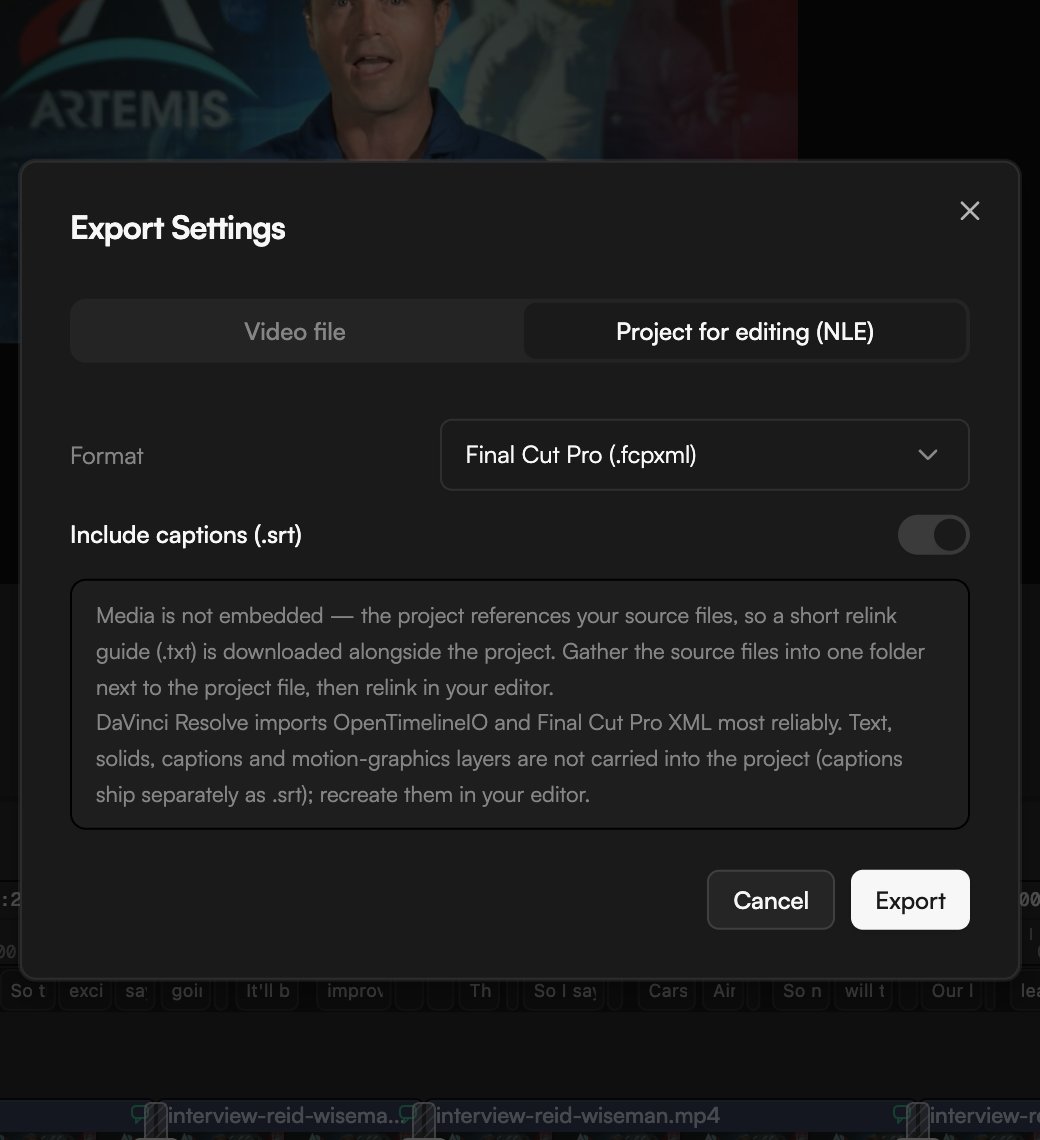
Before you start
- NLE export is available on Creator and Pro. On the Free plan the option is locked. See Plans and credits.
- The project file references your source media; it does not embed it. Make sure the original files exist on the computer where you will open the project.
- Captions come from the transcript. If you want an SRT file, transcribe the speech first. See Transcribe media.
Export the project
1
Open Export
Click Export in the top bar or press
⌘E. The Export Settings dialog opens.2
Switch to the NLE output
Select the Project for editing (NLE) tab at the top of the dialog.
3
Pick a format
Choose the format for your editor from Format: Final Cut Pro (.fcpxml), Premiere Pro (.xml) or OpenTimelineIO (.otio).
4
Decide about captions
Leave Include captions (.srt) on to get a sidecar subtitle file. If nothing on the timeline has a transcript, there are no captions to export.
5
Export
Click Export. The project file, the
.srt (if enabled) and a relink guide (.txt) are downloaded.Which format for which editor
What is carried over
Included in the project file:- Video and audio clips with their in and out points, positions on the timeline and track layout.
- Text and shape clips
- Solid colour clips
- Captions on the picture. They ship separately as
.srtwhen Include captions (.srt) is on. - Motion graphics
Relink the media
Media is not embedded. The dialog puts it this way: “the project references your source files, so a short relink guide (.txt) is downloaded alongside the project. Gather the source files into one folder next to the project file, then relink in your editor.”1
Gather the source files
Put every source file into one folder next to the exported project file. The relink guide lists what the project expects.
2
Download anything that lives only in GoFrame
Files generated by the agent, recorded in the app or added by collaborators exist in your project, not on your disk. Right-click each one in the Media pool and choose Download first. See Organize the Media pool.
3
Import and relink
Open the project file in your editor, then use its relink or reconnect command and point it at the folder.