

Before you start
- Credits. Music costs 20 credits per generation. Sound effects and sound-from-picture show their cost on the card before the agent runs them.
- Plan. Music, text-to-SFX and MMAudio are available on every plan. Mirelo AI SFX carries the pro badge.
- A clip in the Media pool for sound-from-picture. Generated clips already are.
- A model choice, sometimes. If the request leaves the choice open, the agent may ask which music model to use and wait for your answer before spending credits.
Ask the agent
Background music (/music-gen)
A sound effect from text (/voice)
Sound for a silent clip (/video-sfx)
/model; music, sound effects and video-to-SFX each have their own section in the picker.
Options
Music
Describe genre, mood, tempo (BPM), instruments and where it sits (“under narration”, “opening sting”). If you don’t name a tempo, the agent picks one that fits the scene.
Sound effects from text
ElevenLabs SFX generates a single effect from 0.5 to 22 seconds (5 s if you don’t say). Be specific (“a dog barking loudly”), give context (“footsteps on gravel, outdoors”) and a style (“8-bit game sound”, “cinematic riser”).Sound from picture
Tell the agent what it should be hearing (“door slams at the end”, “footsteps at walking pace”) and the sync improves. For a continuous room tone with no visible source, ask for a text-only ambience bed.
Where the result lands and what to do next
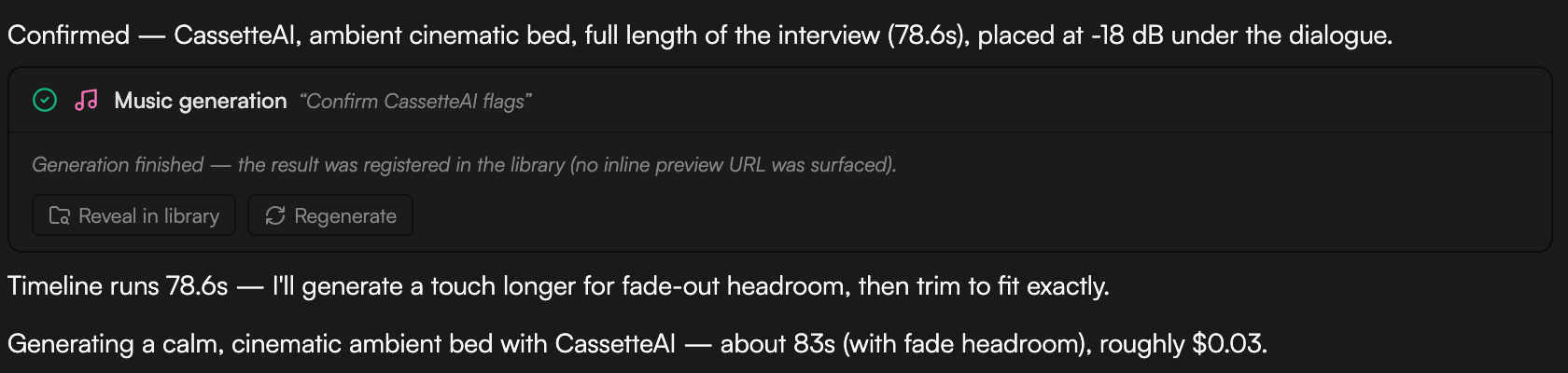
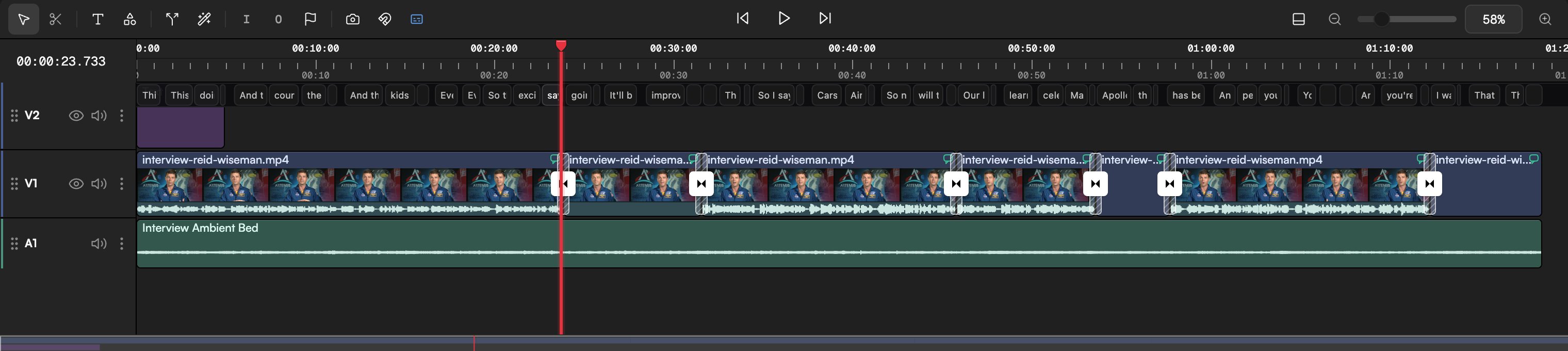
- Music and sound effects are saved to the Media pool as audio assets with the Created by AI agent badge, named for their job (for example Interview Ambient Bed), and placed on an audio track such as A1. A music bed under speech is typically set well below the voice (around −18 dB) with a fade-out at the end. Say “from the start” or “under scene 3” to place it, or “library only” to keep it off the timeline.
- Sound generated from a clip is a separate audio asset, lined up with the clip it was made from so it matches the picture.
- Job cards (Music generation, Video sound FX) show progress and finish with “Generation finished — the result was registered in the library”, plus Reveal in library and Regenerate buttons. Regenerate gives you another take with the same settings.
- Balance the mix in the Inspector: set Volume per clip, add audio fade in and fade out, or animate volume with the Gain preset and keyframes. Or just ask: “lower the music under the voiceover and fade it out over the last 3 seconds”.
- Run
/beat-analyzeon the music track to get its BPM, beat timestamps, sections (intro, verse, chorus) and suggested cut points, then say “cut the montage on the beat”. Thewf-montageworkflow does this end to end.
Do it from the Storyboard
The chat is the primary path, but the Storyboard can generate audio too: an empty board offers Generate music and Synthesize speech, and the prompt bar’s audio type icon does the same later. The result appears as a node on the board. See Storyboard.Tips
- Veo 3 Fast, Kling 3.0 Pro, Kling O3 Pro and the Seedance models can generate their own sound when Sound on is set in the generation settings. You may only need music on top.
- Keep effects out of the music’s frequency range. With a bass-heavy bed, ask for “crisp, bright” effects.
- One idea per music request. If you need an intro sting and a bed, ask for two generations.
- Draft with CassetteAI loops, then commission a Lyria 2 sting for the moments that matter.