

Before you start
- A script. Paste it in the chat, attach a text file, or ask the agent to write one from your brief. Text-to-speech works in an empty project.
- Credits. Each voice generation costs 4 credits. The agent splits long scripts at sentence boundaries into several short generations, so a long narration costs a few times more.
- Any plan. No text-to-speech model carries the pro badge.
- A voice sample (cloning only). At least 10 seconds of clean speech from the person you want to clone.
Ask the agent
Say what should be said and how, or start with/voice. Name a voice if you have a preference; otherwise the agent picks one that fits.
/model, in the text-to-speech section of the picker.
Options
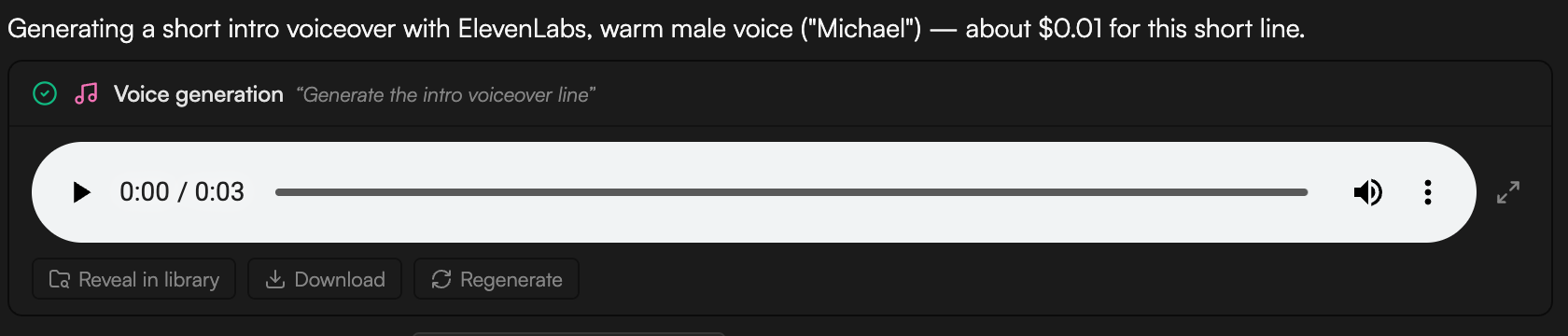
ElevenLabs voice guide: Rachel is calm and warm, Domi strong and confident, Bella soft and expressive, Elli young and emotional, Charlotte a game-narrator voice, Grace gentle with a Southern accent, Dorothy British. Josh is deep and authoritative, Arnold crisp, Adam a deep narrative voice, Sam raspy, Michael warm and conversational, Clyde mature.
Other settings:
- Speed: 0.5 to 2.0 (1.0 is normal). Ask for “a touch slower” or give a number.
- Position: “at the start”, “after the intro clip”, “at the playhead”. The default is the end of the timeline.
- Library only: say “don’t add it to the timeline” to keep it in the Media pool.
Voice cloning
The agent can clone a voice with ElevenLabs from a sample of at least 10 seconds. A clean recording works best; the agent can denoise the sample first. Attach the sample or reference an asset with@, give the clone a name, then use it like any other voice: “read the outro in my cloned voice”.
Where the result lands and what to do next
- The narration is saved to the Media pool as an audio asset (named after its purpose, for example Intro VO) with the Created by AI agent badge. A Voice generation job card tracks progress in the chat; Regenerate re-runs it unchanged.
- When placing the narration means changing the edit, the agent proposes an edit plan first: a Timeline impact line (for example how many seconds the cut grows), then one numbered edit at a time with its Range, Change, Risk and Why. Click Apply plan to run it or Revise to ask for changes. See Review proposals and approve actions.
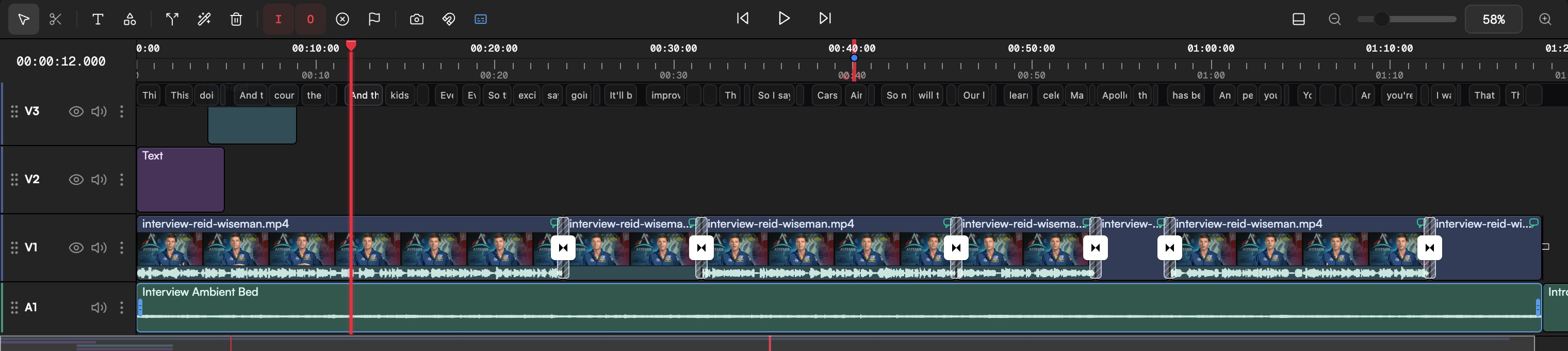
- Trim, move or split the clip like any other (Edit clips). Adjust Volume and fades in the Inspector.
- Captions. Transcribe the voiceover clip (Transcribe in the Media pool) and the Captions panel builds word-level captions from it.
- Sync visuals to the read. Ask the agent to “stretch each scene to match its narration line” or “cut the B-roll to the voiceover”.
- Localize. The
wf-localizeworkflow re-voices a finished video in another language: transcript, reviewed translation, narration in a preset voice or your consented clone, then captions.
Record it yourself instead
If you’d rather use your own voice, click Record screen, camera, or voice in the Media pool, choose the Voice tab in the Record dialog, pick your Microphone and click Start recording. The recording lands in the Media pool like any other audio asset. See Record screen, camera and voice.Tips
- Write for the ear: short sentences, contractions, one idea per sentence. Punctuation drives the pauses.
- Give the agent the whole script at once. It splits it into segments and places them in order.
- Draft with ElevenLabs Turbo v2.5 or Minimax Speech Turbo, then regenerate the final read with Eleven v3 or Speech HD.
- The Explainer template on the Home page runs the whole script → voiceover → visuals flow, with approval at each step.