

Autosave
Changes save to the cloud a few seconds after you make them. The save status in the top bar tells you where things stand:
If the browser closes before a save finishes, the next time you open the project you see “Recovered unsaved changes from your last session” and your edits are back.

Files you imported as local-only are read from your disk, not the cloud. On another device, or if a file has moved, the Media pool shows a banner such as “6 local files are unavailable — Relink…” and the Relink local files dialog helps you find them again. See Import media.
Open Version history
Click Version history (the clock icon) in the top bar. The dialog explains its rule up front: “Every change is a commit: manual snapshots, editing sessions, AI checkpoints. Restoring never deletes anything.”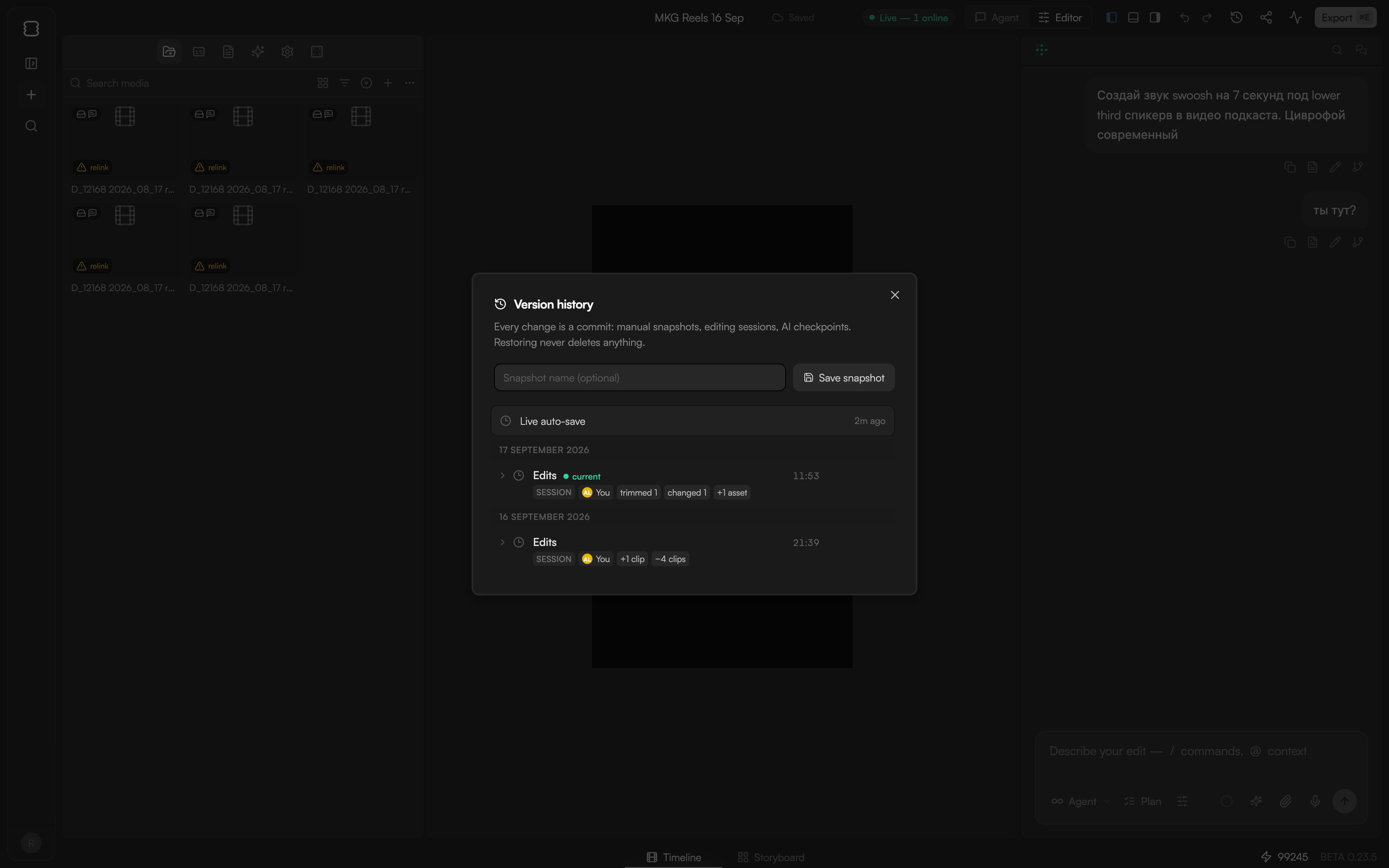
A new project has no versions until you start editing.
Save a snapshot
Save a snapshot before a risky change or when a cut is worth keeping.1
Name it (optional)
Type a name for the snapshot. Something like “Client v2” is easier to find later than a timestamp.
2
Save
Click Save snapshot. The entry appears at the top of the list.
See what changed
Each version carries change chips that summarise what happened: clips added or removed, moved, trimmed or changed, assets added, transitions, settings or tracks. Expand an entry for the details of which clips were affected.Restore a version
1
Pick the version
Find the entry you want. Restoring is non-destructive: as the dialog says, “Restoring never deletes anything.”
2
Restore
Click Restore. The timeline switches to that state.
3
Change your mind if needed
The state you just left is saved as a new Restore entry. Restore it to go forward again.
Undo, redo and /undo
For small mistakes, undo is faster than history:⌘Zundoes and⌘⇧Zredoes, up to 50 steps. The undo and redo buttons in the top bar do the same.- In chat,
/undoreverts the agent’s last timeline change. The Timeline changes card under an agent reply also has a Revert button. - Undo works on your own edits. If a collaborator has already deleted the clip you are undoing, undo cannot bring it back; use Version history instead.