

Run a skill
- Plain language: “add karaoke captions” runs the captions skill; “find three clips for shorts” runs a highlights edit.
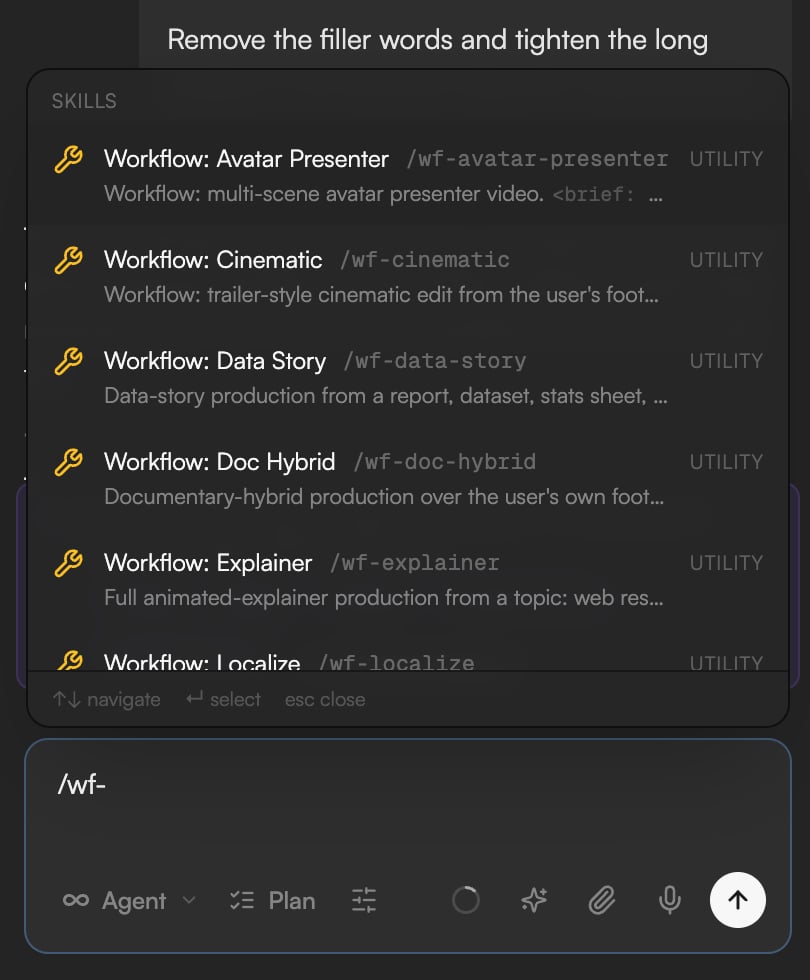
- Slash command: type
/and pick from the Skills section of the palette, or type the name, for example/captions karaoke-style captions for the whole video. Each entry carries a tag for what it does (GENERATE, EDIT and so on) and a hint for the argument it takes; the words after the name become the instruction. - Type
@to reference a clip or asset inside the instruction; see Write prompts, references and commands.
Generation skills
Model choices and options for these skills are in AI models.
Editing skills
Analysis skills
Utility skills
Workflows
Workflows chain several skills into a complete production with checkpoints for your approval. Give them the source material and the goal in one message.
The Director pipeline
/director runs a six-stage pipeline shown as a stepper in the chat: Concept → Structure → Draft → Refine → Polish → Export. Each stage ends with something to approve: concept options, an outline, a rough cut, then refinements and a final polish before export. Use Request changes on any plan card to steer it. Director runs work with the Storyboard for generated stills and clips; see Storyboard.
Save your own workflow
When a session went well, type/skillify to turn it into a reusable skill the agent can run again on the next project. Type /remember to review what the agent has memorized and clean up stale entries. Both are covered in Agent rules, memory and voice.